COLLABORATIVE MANAGEMENT
Smart Storage
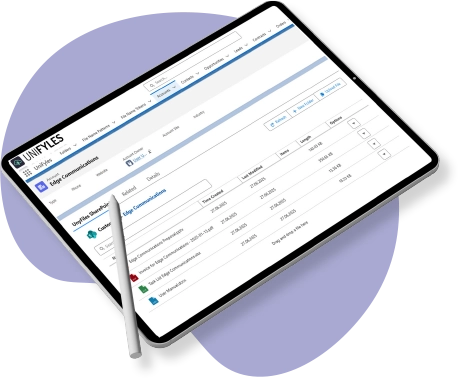
We enhance Salesforce’s capabilities by natively and securely integrating SharePoint. Access, organize, and automate file management without leaving the platform.
You can centralize document management while maintaining traceability, context, and the relational structure of the data.

Use Cases
Practical Applications for Your Business Processes
- Management of commercial and legal documentation.

- Customer Service Support Files.
- Technical Documentation for Projects.
Key Benefits
- Greater productivity and operational efficiency.
- Complete document traceability.
- Improved collaboration among teams.
- Reduction of manual errors.
- Regulatory Compliance and Document Control.
Key Features
Automation, Structure, and Document Control
- Hierarchical structure based on the Salesforce data model (Account > Opportunity > Case).
- Mapping between Salesforce objects and SharePoint libraries.
- Drag-and-drop file upload.
- Creating and Deleting Folders in Salesforce.
- Supports files up to 25 MB (expandable).
- File names generated automatically based on defined patterns.
Smart Automation
- Saving Time and Reducing Errors Through Document Automation
- Automatic creation of folders by record.
- Configurable methods for renaming folders.
- Seamless integration with workflows and business processes.
They trust our group